
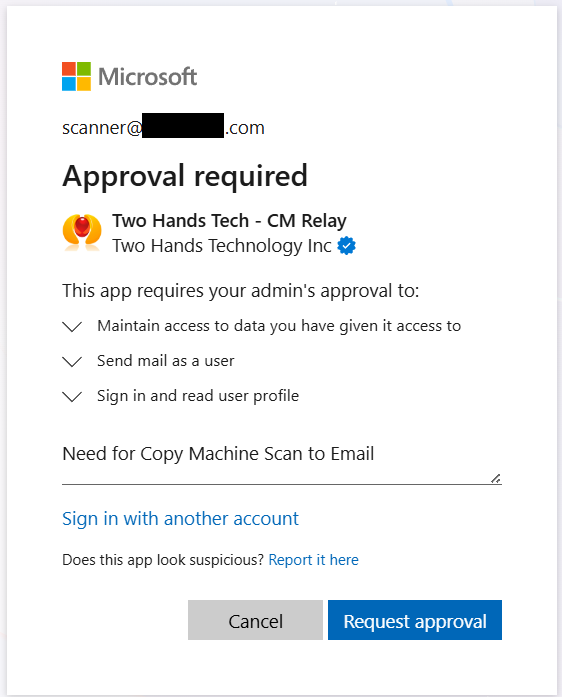
If you M365 has certain security settings to restrict external apps, instead of being able to approve the CM Relay application connection yourself, you may be prompted with a box like this. If you see this box, type a friendly message to your admin, letting them know why you need this application approved, then press “Request Approval”. Afterward, you can also send them the link below via email which will send them directly into the M365 Pending Application Approvals screen, where they should see your request.
Once they have approved the CM Relay app, you will then be able to easily connect your mailbox.